We design operational platforms and authenticated portals around the people using them. We bring tasks, permissions and connected systems into a product shaped for your business.
Public websiteAuthenticated portalInternal workflow
Public websiteAuthenticated portalInternal workflow
Workflow design/ User roles/ Connected systems
Somerset West, Cape Town/ Working globally
A few of the brands we’ve worked with
Conceptual access model
Different roles. The right access.
An example of how a public experience can connect to dedicated operational work. Your requirements determine the actual roles, access and integrations.
Public website
Explain the organisation and give each audience a clear way in.
Public experience
Authenticated portal
Provide access to the tasks and information appropriate to each role.
Role-based workspace
Internal workflow
Handle review, administration and agreed next steps behind the scenes.
Team operations
Selected work
OMNification / Product strategy, UX and application development
From campaign booking to delivery evidence.
We built an operations dashboard, a four-step booking journey and station-partner workspaces for Motherland OMNi. Campaign planning, delivery evidence, exceptions and reporting share one platform.
Develop the functionality, permissions and integrations around the systems and data available to your team.
Application functionality/ Agreed integrations/ Permissions and data flows
04
Check and evolve
Test against agreed acceptance criteria. Plan release, support ownership and the order of future improvements.
Acceptance checks/ Release plan/ Support and development priorities
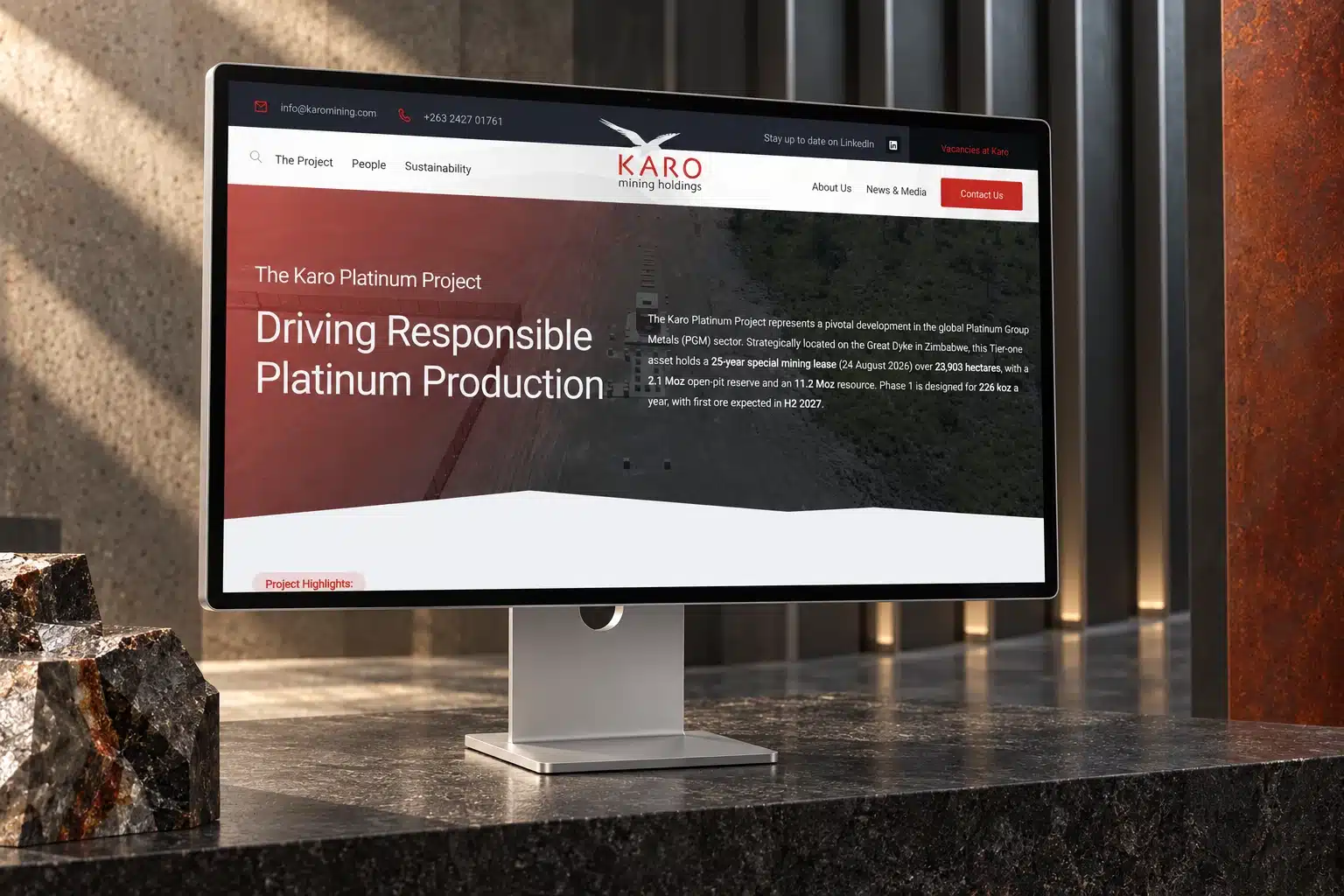
Karo Mining / Corporate website, authenticated portal and UX
A public website. A separate authenticated portal.
For Karo Mining, we linked public corporate information to dedicated portal routes for tender discovery, applications and administration. Suppliers and candidates have an environment suited to their tasks.
The case study’s traffic figures measure the public website, not portal activity.
Your team brings the operational knowledge. We bring product design and development, with clear review points along the way.
01
Understand the context
Walk through the current workflow, users, systems and points of friction. Identify the business rules, exceptions and information the product must accommodate.
02
Plan the project
Define the first release, integrations and acceptance criteria. Agree who makes decisions, supplies access and data, and reviews the product.
03
Build together
Prototype important journeys, build the functionality and review working stages with your team. Check how the roles and systems interact.
04
Review what comes next
Review the release against the acceptance criteria. Confirm ownership, support and the order of future improvements as the platform begins to be used.
The wider picture
A release is one step in the product’s life.
Continue with support and development around shared priorities as the product is used. Ownership, maintenance and future improvements are planned with your team.
A custom application can be useful when an important workflow needs roles, business rules or connections that your current tools do not support well. We first discuss whether a new product, an integration or a simpler improvement fits the problem.
Integrations can be included once we understand the systems, access, data and available interfaces. We assess those dependencies before confirming the architecture and define the connections and responsibilities in the project scope.
Yes. User roles, permissions and the information each person needs are part of the requirements work. We define the intended access model with your team and include checks for it in the test plan.
The published examples on this page demonstrate operational platforms and authenticated portal work. If you need a native mobile application, bring the device, distribution and feature requirements to the discussion so we can assess the right approach and scope.
Timing depends on workflows, integrations, data, testing and the size of the first release. We establish phases and review points after assessing those requirements. The website delivery range is not a reliable estimate for a custom application.
In a 30-minute conversation, we discuss the workflow, who uses it and what is getting in the way. We explore fit and agree a useful next step. You do not need a complete specification to begin.